April 2026

Top Parental Control App for Android in 2026
With smartphones becoming a near-constant presence in our children’s lives, it’s natural for parents to worry about what they are seeing and who they are talking to online. The internet offers incredible opportunities for learning and connection, but it also contains risks like cyberbullying, exposure to inappropriate content, and online predators. This is where a powerful parental control app for Android can provide much-needed peace of mind.
These applications are designed to give you a clear window into your child’s digital world, allowing you to guide and protect them effectively. From monitoring their social media conversations to tracking their location, the right tool can empower you to create a safer online environment. This guide will walk you through the best options available, helping you find the perfect android parental control app to meet your family’s specific needs. We will explore features, usability, and overall value to ensure you make an informed decision.
Table Of Contents
What is a Parental Control App and Why Do You Need One?
A parental control app is a software tool that parents install on their children’s devices, like smartphones and tablets, to monitor and manage their digital activities. The primary goal is to protect children from online threats while allowing them the freedom to explore the digital world safely. These apps offer a range of functionalities that help you stay informed and in control.
Modern children spend a significant amount of time online. They use their devices for school, socializing, and entertainment. While this connectivity has many benefits, it also exposes them to risks. An android phone monitoring app helps mitigate these dangers by giving you oversight. You can see who your child is communicating with, what content they are consuming, and even where they are physically located. This isn’t about spying; it’s about responsible parenting and ensuring your child’s well-being in an increasingly complex digital landscape.
Key Features to Look for in an Android Parental Control App
When choosing an app, it’s important to know which features will provide the most benefit. While some apps offer a basic set of tools, others provide a comprehensive suite of monitoring capabilities. Here are some of the most critical features to consider:
- Social Media Monitoring: Track conversations and activity on popular platforms like Instagram, Facebook, Snapchat, and WhatsApp.
- GPS Location Tracking: View your child’s real-time location on a map and set up geofences to receive alerts when they enter or leave specific areas.
- Call and SMS Monitoring: Read text messages and see logs of incoming and outgoing calls, including contact details and timestamps.
- Web Filtering: Block access to inappropriate websites and content categories, such as pornography, gambling, or violence.
- App Management: See which apps are installed on the device, block unwanted applications, and monitor usage time.
- Keystroke Logging: Capture everything typed on the device, providing insights into search queries, messages, and notes.
- Stealth Mode: The ability for the app to run invisibly in the background, so your child is not aware it is installed.
Having a clear understanding of these features will help you select the best phone monitoring app for Android that aligns with your parenting goals.
The 5 Best Parental Control Apps for Android
After extensive testing and comparison, we’ve compiled a list of the top parental control apps available today. Each app was evaluated based on its feature set, ease of use, reliability, and overall value.
1. Phonsee: The Ultimate Android Monitoring Solution
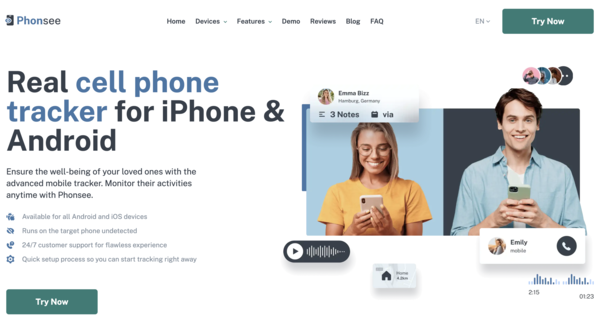
Phonsee stands out as the best parental control app for Android, offering a comprehensive and user-friendly solution for modern parents. It provides an unmatched level of insight into a child’s digital life, all while operating completely undetected. Its powerful features and intuitive design make it the top choice for those seeking total peace of mind.
What truly sets Phonsee apart is its robust suite of monitoring tools. It covers every aspect of a child’s phone usage, from social media activity to real-time location. The installation process is straightforward, and once set up, you can access all monitored data from a clean, web-based dashboard on any device. For parents who want the best phone monitoring app for Android without compromise, Phonsee is the clear winner.
Key Features of Phonsee
- Comprehensive Social Media Tracking: Monitor chats and activities on all major platforms, including WhatsApp, Instagram, Facebook Messenger, and Snapchat.
- Real-time GPS Tracking and Geofencing: Know your child’s exact location at all times. Set up safe zones (like home or school) and restricted areas, and get instant alerts when these boundaries are crossed.
- Keystroke Logger: Capture every keystroke typed on the device. This feature is invaluable for uncovering search terms, hidden messages, and deleted texts.
- Screen Recorder: Take periodic screenshots of the device’s screen, giving you a visual record of their activity.
- Stealth Mode Operation: Phonsee runs invisibly in the background, ensuring your monitoring remains discreet. The app icon is hidden, and it uses minimal system resources to avoid detection.
- Web and App Blocker: View browsing history, block access to specific websites, and manage which applications can be used on the device.
Phonsee delivers a complete package that addresses every concern a parent might have. Its powerful capabilities, combined with its stealth operation, make it the premier android parental control app on the market.
2. mSpy: A Veteran in Phone Monitoring

mSpy is another excellent choice for parents, with a long-standing reputation for reliability and a rich feature set. It provides detailed monitoring capabilities that give you a full picture of your child’s phone activities. It’s a powerful tool for ensuring online safety and has been trusted by millions of users worldwide.
The app excels in its ability to monitor a wide range of data types, from text messages and call logs to social media chats and browser history. mSpy’s dashboard is well-organized, making it easy to navigate through the collected information. While it offers many of the same features as Phonsee, its interface can feel slightly less modern. However, it remains a top-tier android phone monitoring app.
Key Features of mSpy
- Extensive App Monitoring: Tracks a wide array of messaging apps, including Skype, Telegram, and Viber.
- Keyword Alerts: Set up custom keywords (like “drugs” or “bullying”) and receive notifications whenever they are used on the device.
- Detailed Call and Contact Logs: View all incoming and outgoing calls with timestamps and durations, and access the full contact list.
- Wi-Fi Network Monitoring: See which Wi-Fi networks the device has connected to, helping you understand where your child has been.
3. Eyezy: The Power of AI in Monitoring
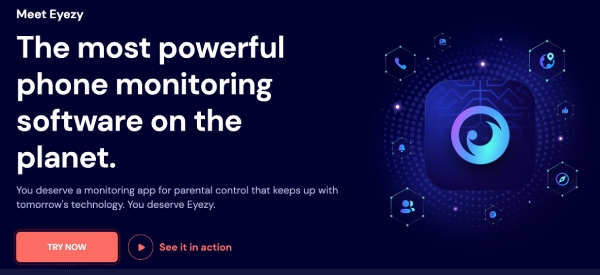
Eyezy brings a modern, AI-powered approach to parental control. It markets itself as the most powerful monitoring app available, and it backs up this claim with some unique and intelligent features. Eyezy is designed for parents who want proactive alerts about potential dangers, not just passive data collection.
Its standout feature is the “Magic Alerts” system, which uses artificial intelligence to notify you of concerning conversations or activities without you needing to constantly check the dashboard. This makes it an incredibly efficient android parental control app for busy parents. It combines deep monitoring with smart analysis to keep you one step ahead.
Key Features of Eyezy
- AI-Powered Alerts: Automatically notifies you about controversial conversations, specific plans, or concerning search queries.
- Phone Analyzer: Lets you view call logs and contact lists to see who your child communicates with most frequently.
- Social Spotlight: A dedicated tool that consolidates messages and activity from multiple social media and messaging apps into one easy-to-read feed.
- Pinpoint Location Tracking: Uses GPS and Wi-Fi analysis to provide highly accurate location data.
4. Bark: A Collaborative Approach to Safety
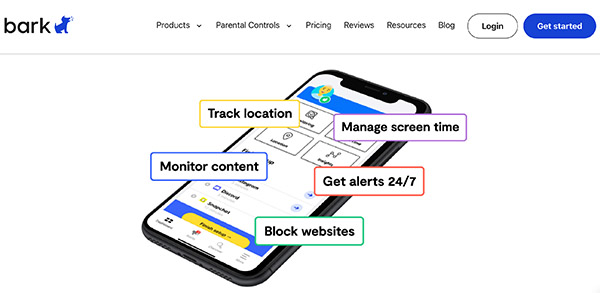
Bark takes a different approach compared to other monitoring apps. Instead of giving parents direct access to all of their child’s conversations, Bark focuses on monitoring for specific issues and alerting you when they arise. It scans texts, emails, and over 30 social media platforms for potential problems like cyberbullying, suicidal ideation, and online predators.
This method is designed to foster trust between parents and children. You only get notified when the algorithm detects a potential concern, allowing your child to maintain a sense of privacy. This makes Bark a great option for parents of older teens who want to provide a safety net without feeling like they are invading their child’s personal space.
Key Features of Bark
- Issue-Based Alerts: Scans for a wide range of potential dangers, including depression, sexting, hate speech, and drug-related content.
- Screen Time Management: Allows you to create custom schedules for when certain apps or the internet can be accessed.
- Website Filtering: Block specific websites or entire categories to create a safer browsing experience.
- Check-in Feature: Lets your child easily share their location with you with a single tap.
5. Qustodio: Ideal for Managing Screen Time
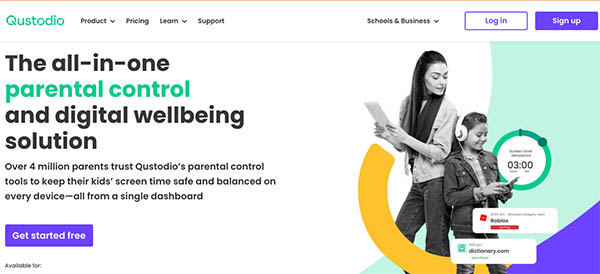
Qustodio is a popular parental control app that is particularly strong in screen time management and content filtering. It’s an excellent choice for parents whose primary concern is limiting device usage and preventing access to inappropriate material. Qustodio is easy to set up and offers a very clean, intuitive dashboard that is perfect for less tech-savvy users.
While it does offer some communication monitoring, its strengths lie elsewhere. The “Daily Time Limits” feature allows you to set a cap on overall screen time for each day of the week. You can also block specific apps or set time limits for them individually. This makes Qustodio a fantastic tool for establishing healthy digital habits from a young age.
Key Features of Qustodio
- Advanced Screen Time Controls: Set daily limits, create restricted time schedules, and pause the internet with a single button.
- Robust Web Filtering: Its real-time filter blocks inappropriate content even in private browsing modes.
- Games & Apps Blocker: Block applications that you don’t want your child to use, or set usage limits for them.
- Panic Button: A feature that allows your child to send an instant location-based alert to trusted contacts if they are in trouble.
How to Install a Parental Control App on Android
Installing a parental control app for Android is generally a straightforward process, though the exact steps can vary slightly between applications. Most top-tier apps, including Phonsee, are not available on the Google Play Store due to their advanced monitoring capabilities. You will need to download the app directly from the provider’s website.
Here is a general guide to the installation process:
- Choose Your App and Subscription: Visit the official website of your chosen app (e.g., Phonsee) and select the subscription plan that best fits your needs. Complete the purchase.
- Receive Installation Instructions: After your purchase, you will receive an email with a link to your personal control panel and detailed installation instructions.
- Prepare the Target Device: You will need brief physical access to your child’s Android phone. You may need to disable “Play Protect” in the Google Play Store settings to allow the installation of an app from an outside source. The instructions will guide you through this.
- Install the App: Open the browser on the target device, enter the download link provided in your welcome email, and download the installation file (APK). Follow the on-screen prompts to install the app. During this process, you will need to grant the app the necessary permissions to access data like contacts, messages, and location.
- Complete Setup and Hide the App: Once installed, you will typically be given the option to hide the app’s icon. This activates the stealth mode, making the app invisible to your child.
- Start Monitoring: Log in to your control panel from your own computer or smartphone. The data from the target device will begin to sync, and you can start monitoring your child’s activity.
The entire process usually takes less than 10 minutes. The best parental control app for Android providers offers 24/7 customer support to assist you if you encounter any issues.
Conclusion
Choosing the right parental control app for Android is a crucial step in protecting your children in the digital world. These tools are not about a lack of trust; they are about proactive parenting and ensuring your child’s safety online and offline. By monitoring their activities, you can guide them away from danger, open up conversations about responsible digital citizenship, and gain invaluable peace of mind.
While all the apps on our list offer strong features, Phonsee distinguishes itself as the best overall solution. Its comprehensive monitoring capabilities, including a powerful keylogger and screen recorder, combined with its flawless stealth mode, provide a level of insight and security that is unmatched. It delivers everything a concerned parent could need in one easy-to-use package. By investing in a high-quality android phone monitoring app, you are making a vital investment in your child’s well-being.
FAQ
What is the best free parental control app for Android?
While several free parental control apps are available, they typically come with significant limitations. Free apps often lack advanced features like social media monitoring and keystroke logging, may be filled with ads, and can even pose security risks by selling your data. Google Family Link is a decent free option for basic screen time management and app blocking, but it doesn’t offer the in-depth monitoring of premium apps. For comprehensive protection, a paid subscription from a reputable provider like Phonsee is highly recommended.
Is it legal for me to use a parental control app on my child’s phone?
In most jurisdictions, it is legal for parents to install a monitoring app on a phone they own and provide to their minor child (under 18). The device is considered the parent’s property, and they have a legal responsibility to protect their child.
Will a parental control app slow down my child’s phone?
Top-tier parental control apps like Phonsee are designed to be lightweight and efficient. They run in the background using minimal system resources (CPU and battery) to avoid impacting the phone’s performance. Your child should not notice any difference in the speed or responsiveness of their device. Lower-quality or free apps, however, may not be as well-optimized and could cause noticeable lag or battery drain.